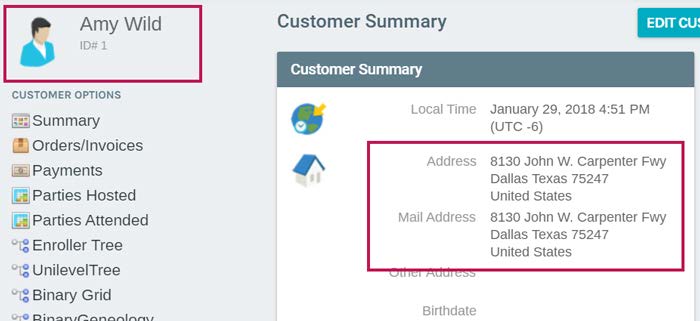
Transfer Customer or Sale of Distributorship
Transfer Customer Business
Transferring Customer Business
When a distributor sells their business to another distributor, all the downline information needs to
be transferred from the original distributor so that the new distributor can be set up on the existing
account. The vendor bills and payments need to be kept so that you can issue two 1099's at the end
of the year.
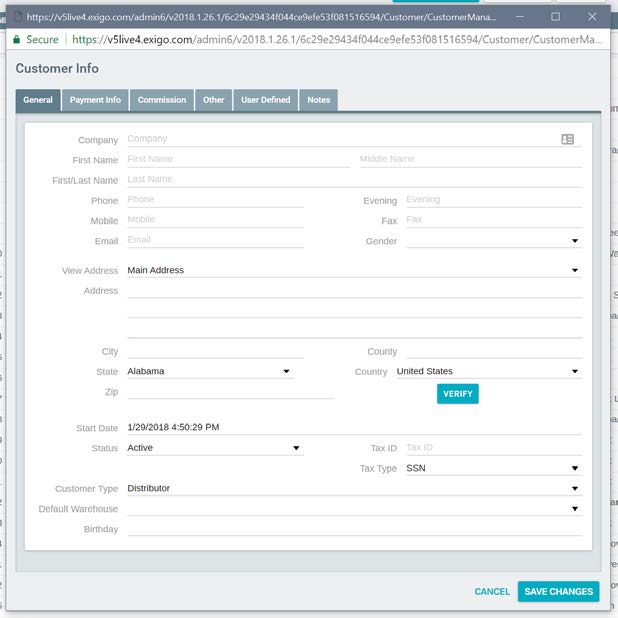
To begin the transfer process, create a new account for the distributor who is selling their business.
Select New Customer from the Customer Search menu bar and complete the Customer Info.
The new account should include a company name such as: ARCHIVE - DT # xxxxx.
The only other information you need to enter is under the Commissions tab for Enroller and
Sponsor ID. Enter the existing account number in both of these fields.
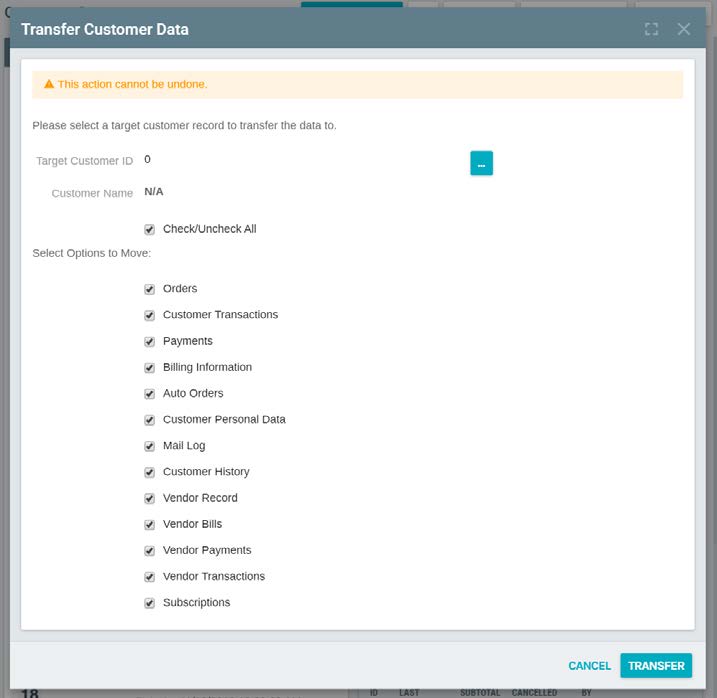
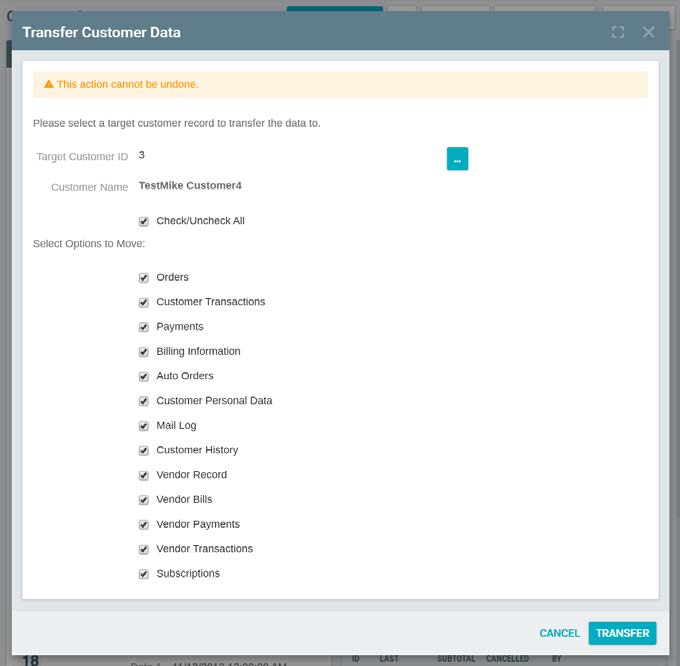
Once the new account is set up, go back to the original account and select Transfer.

The following screen will display.
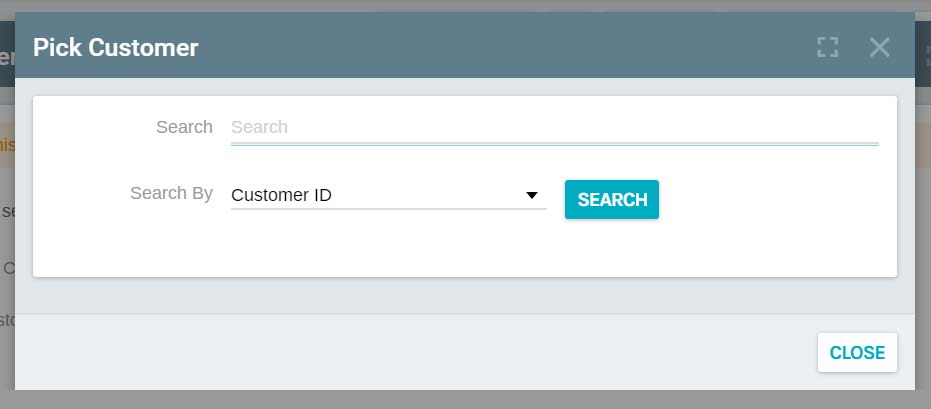
Click on the box with the 3 dots and from the popup, enter the target customer ID which is the
NEW account you just set up.
Once selected, the new account will show in the Target Customer ID field.
Select the items you want to MOVE to the new account (Target):
Click OK; the system will say the transfer is complete.
Check the new account and verify the correct information is showing.
The existing account will still show the old distributor's personal information so you will need to edit
the account and update it with the new distributor's information. The downline information is still
in place but all orders/invoices, payments, commissions, recurring orders, etc. have been removed.
Go back to the original account. Set up the new distributor's information and auto-shipment order
by clicking on Edit Customer to change the distributor information to the new owner and click on
New Recurring order to setup the autoship.
Update and verify that all the new information is correct.
Note: If a transfer is done in the middle of the year, a 1099 form will be sent to both the original
owner and the new owner based when they had ownership of the account.