Taxation FAQ
See the sections below for configuration steps in the Exigo Portal.
DO I NEED TO SUBSCRIBE TO ANY TAX SERVICE?
Exigo manages tax tables that contain the tax rates for all counties/states/cities in the United States. These tax
tables are updated monthly through a service that we subscribe to. It is not necessary for you to obtain tax rate
information; we have it for you. If you have tax rates for other countries, then you would be able to set the flat rate
by country.
WHAT ADDRESS IS USED FOR THE TAX DETERMINATION?
Each time an order is placed, the "ship to" address of the order determines the tax city, tax state, tax zip, and tax
county. The tax tables are then referenced to determine what combined tax rate should be used for the order.
HOW DO I KNOW WHICH PRODUCTS ARE TAXABLE?
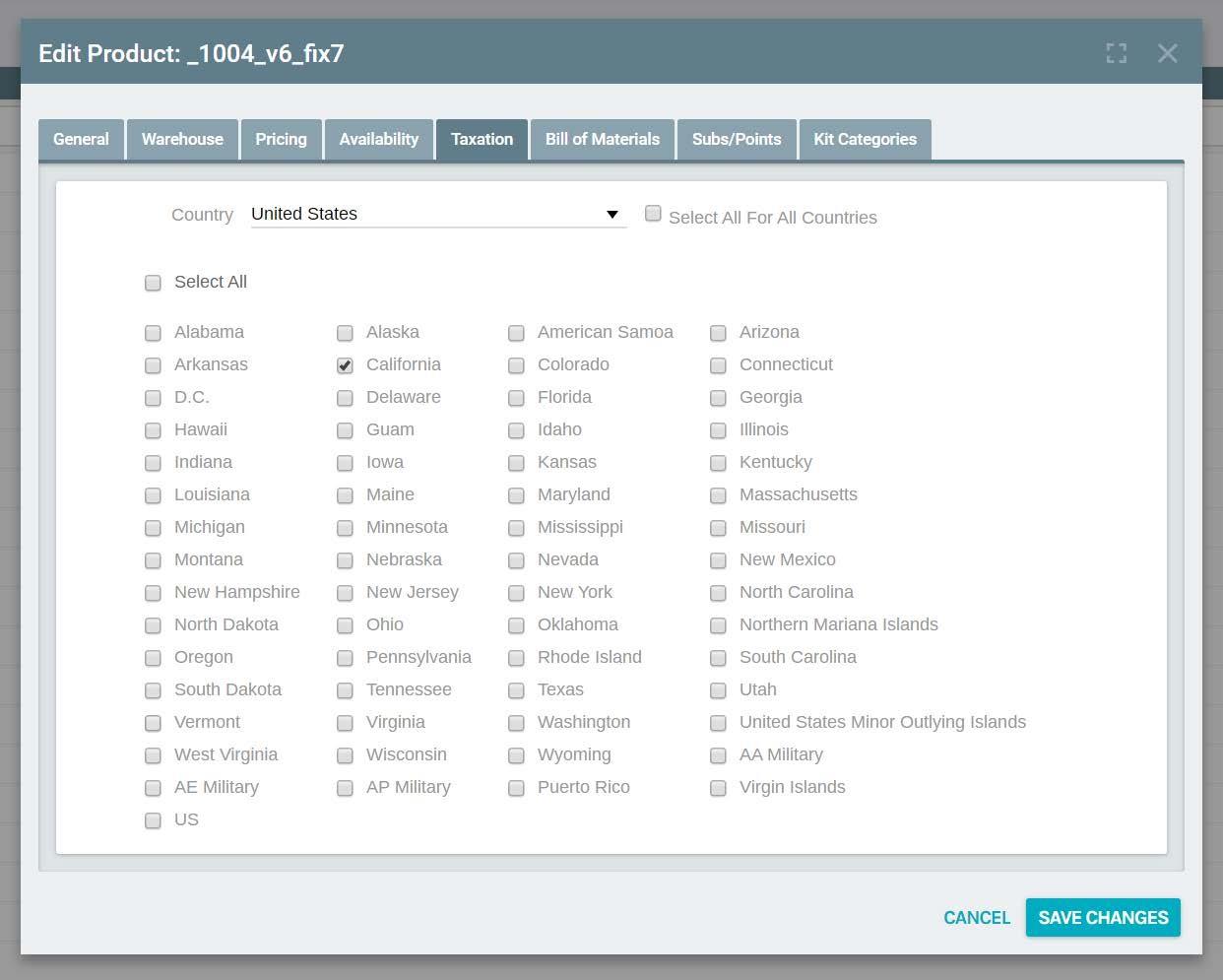
Each item/sku in Exigo is then configured for taxation. The item can be marked as taxable everywhere, or the item
can be marked as taxable only in certain states. The example below shows that this item is taxable only in
California. So, if the "ship to" address of the order falls in California, then the item will be taxed.
WHAT IF I HAVE A SPECIAL TAX OVERRIDE OR A FLAT VAT RATE?
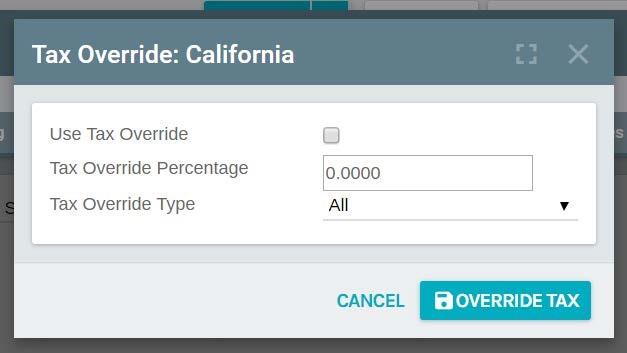
If a state tax rate needs to be modified, then the override can be used. Simply click on the state you wish to
override. For example, some items are reduced to 1% tax in California. This example shows how the override
would be handled:
You can also use this same feature for each region in a country that requires a flat VAT. If you need to set 12% for
each region in Mexico for example.
CAN I TAX ON RETAIL VS. WHOLESALE?
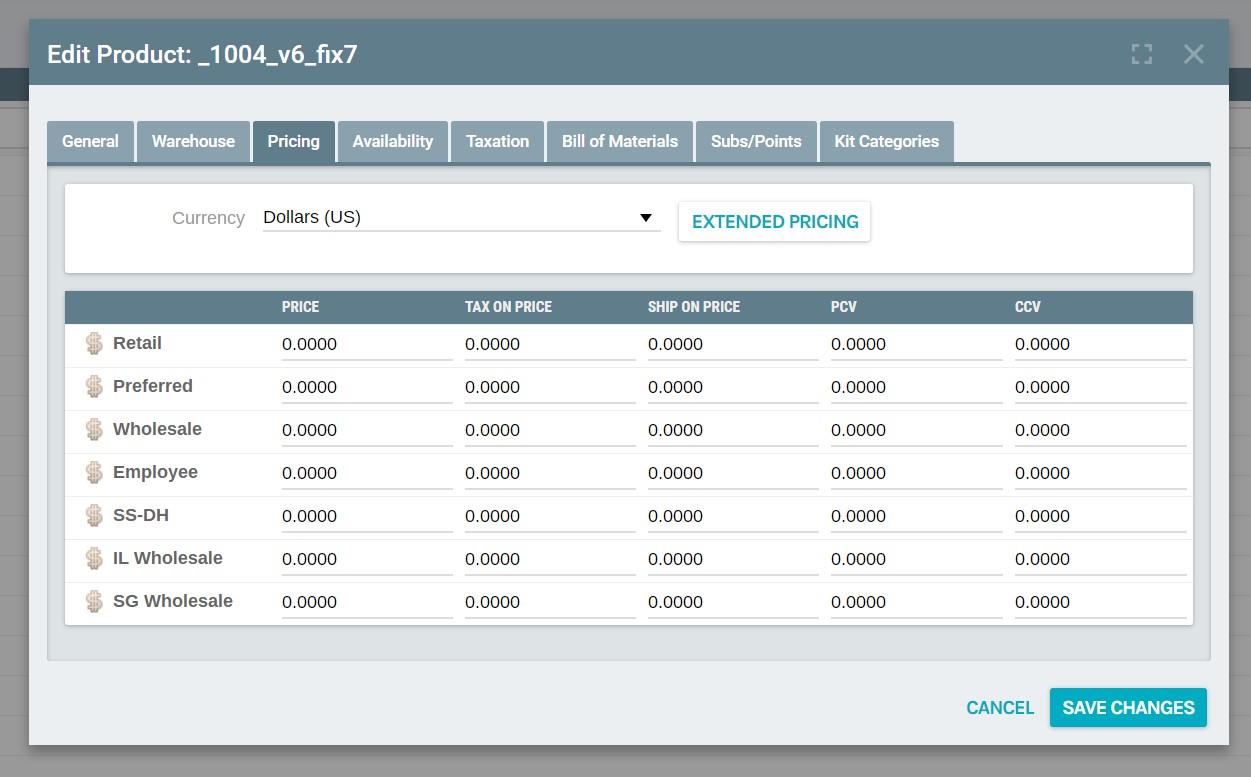
The price of a product can be used to determine the Tax on Price. For each item, you would set the Tax on Price
(TOP) when you define the price points. In this example, the product is taxed on the retail value of the item when it
is sold to retail or preferred customers. The product is taxed on the wholesale value of the item when it is sold to
Distributors who buy at wholesale:
HOW DOES TAX GET CALCULATED?
When an order is created, tax is calculated based on the following key points:
-
The tax on price for all items that are marked as taxable.
-
The state in the "ship to" address.
-
The tax rate and any adjustments for reductions is determined and the tax amount is calculated.
DOES EXIGO HANDLE TAXABILITY RULES OR JURISDICTION REGISTRATION?
Exigo provides the features that allow a company to configure and setup their taxation rules by product.
Exigo DOES NOT determine the taxability of their products. For example, we will not determine that an item is a
Dietary Supplement and advise you on which states the items should be taxed in and what rate or reduced rate
should be used. The client will need to determine this on their own or use third party vendors or their legal
advisors.
Additionally, any registering in state jurisdictions for taxation purposes falls outside the set of services that Exigo
provides.
WHAT IF A CUSTOMER CLAIMS THERE IS A RECENT CHANGE TO THEIR TAX RATES THAT HAVE NOT BEEN
UPDATED IN EXIGO?
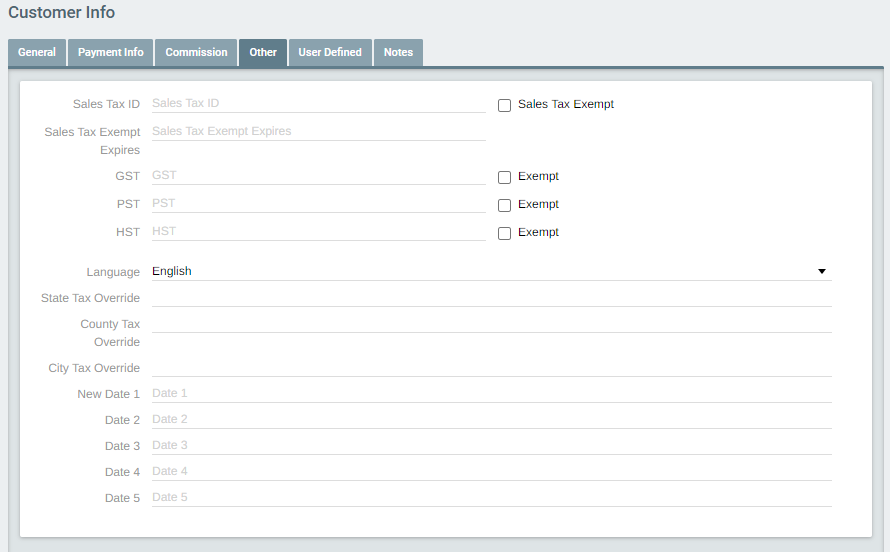
You can override the tax rates that are pulled from our rate tables on a customer basis. From the customer screen,
click on Edit Customer. From the popup screen, go to the Other tab. The override fields are found at the bottom of
the tab.