Rank FAQ
See the sections below for configuration steps in the Exigo Portal.
WHAT IS A RANK?
The purpose of this document is to outline the different rank designations that are stored in Exigo and how
they are used in various Exigo features.
A title designation achieved by a distributor based on increasing participation in the company compensation
plan, and qualification rules established for each rank level.
WHAT IS THE DIFFERENCE BETWEEN ACHIEVED OR MAINTAINED RANK?
Your compensation plan may have qualification rules that outline the performance criteria that must be met
to achieve a rank level for the first time. This is Rank Achievement. Some compensation plans may have
different qualification rules that outline what is necessary to keep the rank you have achieved and continue
to get paid at that rank level after the initial requirements have already been met. This is Rank
Maintenance.
Please note that the real time Rank Report Card feature (listed as GetRankQualifications in the API) in
Exigo will always be based on Rank Achievement, what the Distributor needs to do in order to advance to
the next rank level.
WHAT IS THE DIFFERENCE BETWEEN RANK AND PAID RANK?
The Rank value represents the highest rank achieved. As performance increases and a new rank level is
achieved based on the qualification rules, the rank value will change to the higher rank level as promotions
occur.
Traditionally, this value will never go down or demote unless a company has specific 'reset' rules for the
highest rank.
The Paid Rank value represents the rank that the distributor is getting paid as for the current commission
period (week/month). It is based on current performance for the period and will fluctuate over time as
your commissions are processed and accepted.
WHAT IS THE DIFFERENCE BETWEEN CUSTOMER RANKS AND PERIOD RANKS?
In the customer record for the Distributor, the rank and paidrank are updated each time a commission
run is processed and accepted.
Once the run is accepted, the commission program will update the rank if the new rank achieved is higher
than the rank stored for the customer. This will always represent the highest rank ever achieved and can be
used for recognition purposes. The commission program will also update the paidrank value in the
customer record and this value will represent the rank that the distributor was paid as last time they earned
commissions.
WHERE CAN I SEE THE CUSTOMER RANK VALUES?
There is a period volume table that is used to store real time volume bucket values and real time rank
values. These values are updated real time every time an Accepted order is created that has volume or
information that would cause the ranks or volumes to increase. These values will change over time and will
only be locked in once the commissions for that period (week or month) have been processed and accepted.
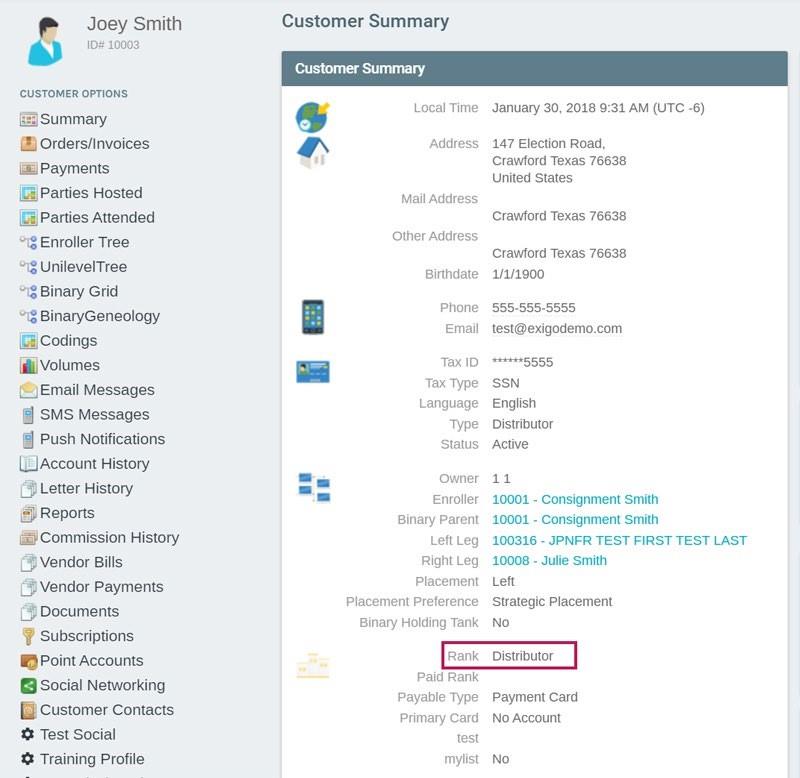
You can go to Customer>>Customer Search for any distributor and view the information on their
customer screen. This will show their Customer Rank which is the highest rank ever achieved:
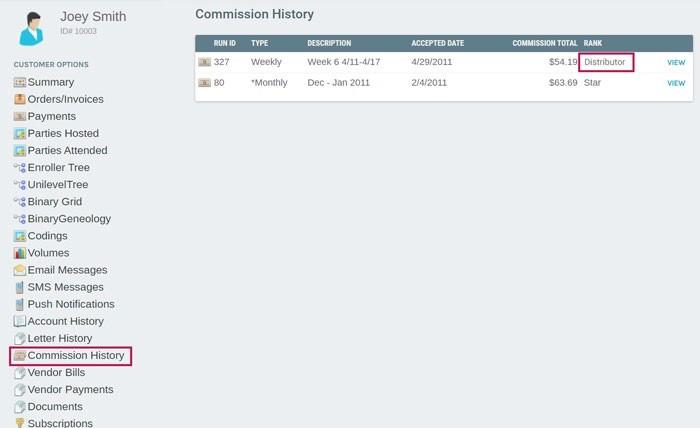
From the customer screen, you can click on the Commission History menu link under Customer Options
and view the Paid Rank for each commission run:
WHERE CAN I SEE THE PERIOD RANK VALUES?
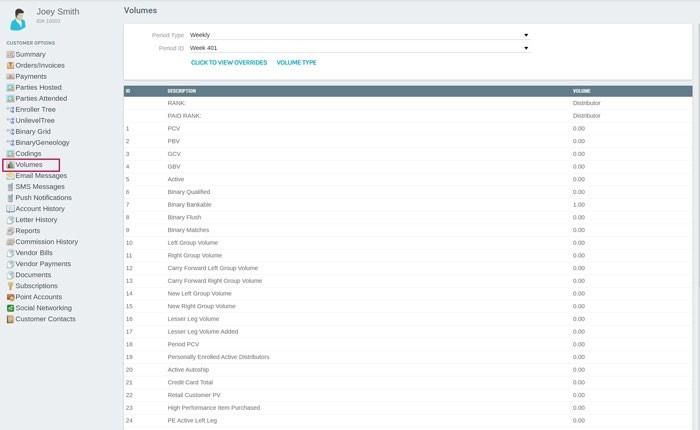
While you are still on the customer screen, you can click on the Volumes link and select the different
period types from the drop downs to view current ranks or previous ranks.
HOW ARE RANK VALUES VIEWED IN THE DISTRIBUTOR BACK OFFICE?
You can use any of these rank values in the back office. You can use the GetRealTimeCommissions web
service found at api.exigo.com to pull this information. You can also use GetRankQualifications web
service from the API if you want to show a report card of the qualification rules for the rank.
CAN I CHANGE THE RANK VALUES AND TITLE DESCRIPTIONS?
Since rank and the qualification rules are an integral part of your commission program, only your Exigo
Commission Programmer will be able to modify these values. The impacts of any changes would need to
be evaluated. Description changes can be made easily by the programmer.
CAN I CHANGE THE RANK FOR A SPECIFIC CUSTOMER?
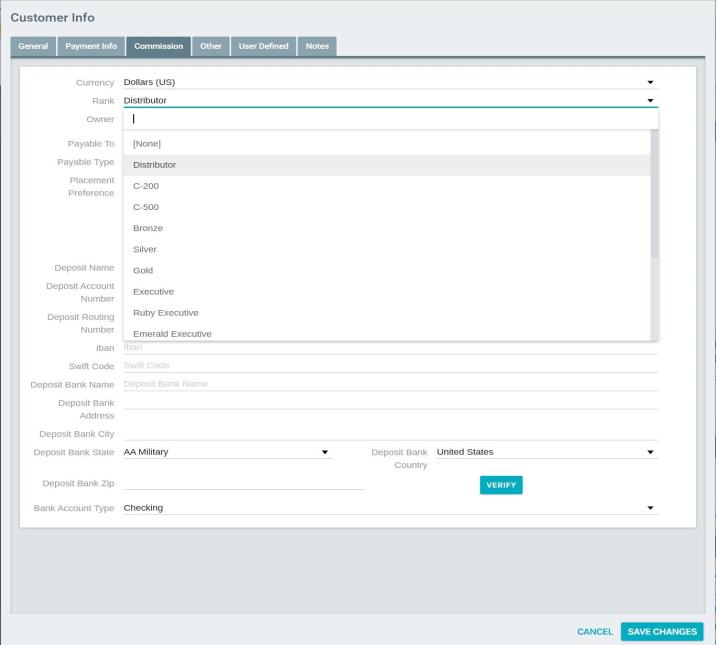
The rank value that is stored for the customer and represents the highest rank can be changed if you use
the Edit Customer link from the customer screen and go to the Commission tab. Your user account must
have permission to change the rank.
Please keep in mind that whatever value you change the rank will be regarded by the rank maintenance
rules of your commission plan if you have different qualification criteria for achievement vs. maintenance.
If the rules are the same, there is no impact.
However, if the rules are different, the new rank you just changed in the customer record will now be used
for the highest rank and only maintenance for that rank level will be used. If you change this rank, you will
need to run commissions (but not accept) to trigger the system to do a true up.
Additionally, the next time you run commissions and accept them, this rank value could be updated by the
commission program if there is a rank promotion.
Typical reasons for this change could be a temporary fix that you need because you are displaying customer
ranks in the back office and you need this level to appear until the next time you run and accept
commissions; or if you want the rank maintenance rules of your commission plan to use the rank level value
you just changed.
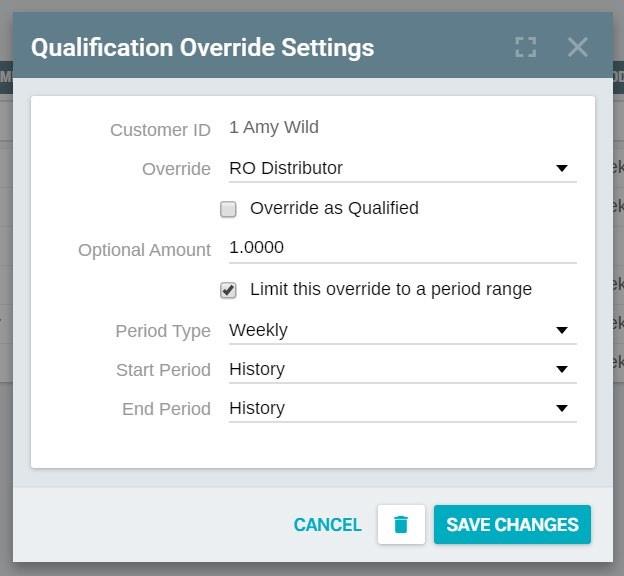
If you need to change the rank as an override or waive the qualification rules, you should do this from the
Commission screen. The commission program does look at these values and will pay the customer at this
rank level regardless of the current performance for the current commission period during the next
commission run.
Go to Accounting>>Commissions and click on the Qualification Overrides link.
Then click on the Rank Override (RO) that you want to adjust. The right results pane will refresh and show
any customers you have already adjusted for this rank.
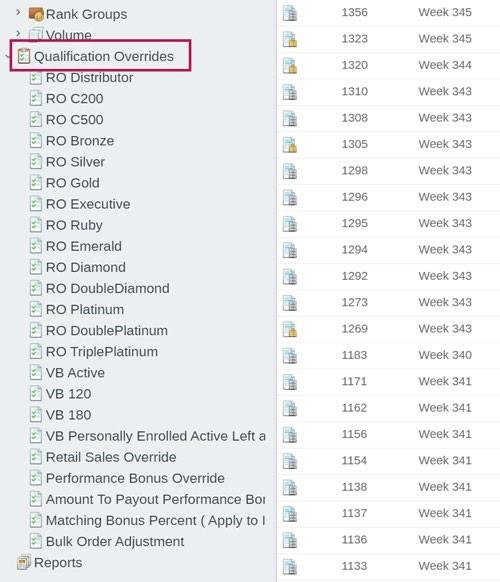
You can then Edit an existing customer or add a new one.
From the popup, enter the ID number of the customer that you want to override and select the override
rank. You would also follow these steps if you need to remove a current override.
Please note that the rank override will also be reflected in the period volume record for the paid rank only.
The period volume rank will still reflect the highest rank ever achieved from previous accepted commission
runs.
The rank override will not change the Rank Report Card because that feature will always show current
performance as it relates to the rank level qualification criteria.