SyncSQL in Memory Tables FAQ
SyncSQL
SyncSQL In-Memory Tables FAQ
For clients who demand the best possible database performance, Exigo offers its SyncSQL Managed
In- Memory database solution. As its name suggests, this database exists in memory and features
read speeds up to 100,000 times faster than reading from a traditional hard disk drive (HDD). While
it is possible for Exigo clients to load an entire database into RAM, this is inefficient and rarely
necessary. Instead, clients may select which tables within their database to load. As Exigo updates
are written to the disk-based database, updates to In-Memory tables are also synchronized. As with
SyncSQL Managed edition, the Managed In-Memory solution provides read-only data access.
SyncSQL Managed In-Memory databases, which offer greater speed and performance, come at a
premium to the Managed service at $50 per GB per month in one (1) GB increments. For this on-
demand service, there is a $50 minimum charge.
HOW DO I CREATE A SYNCSQL DATABASE USER?
Log into your account from www.exigo.com and go to the Administration tab. Click on the menu
option labeled "Sync Database Users."
If you do not have access to this menu option, you will need to get with your System Administrator.
From the Sync Database Users screen, you can click on add, edit or delete in the top right toolbar
to manage your Sync Users.
WHERE CAN I FIND THE SYNCSQL DATABASE SCHEMA?
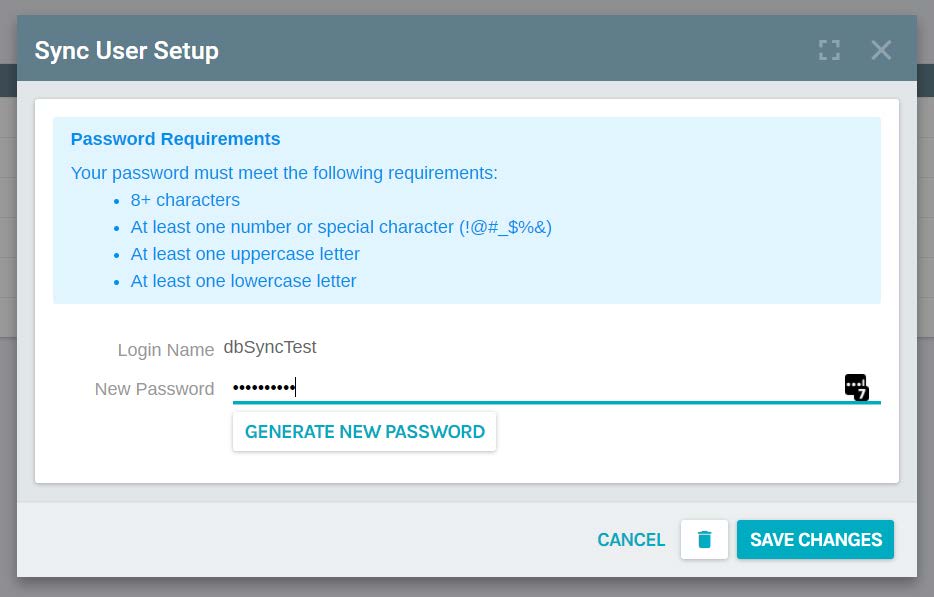
You can use the Generate Password option, but you will need to write this down before you save
the account as this password cannot be looked up.
Please keep in mind that if you change any passwords for any users, you can break any existing
connections that are being used.
If you log into the Exigo Portal from portal.exigo.com, you can go to the Resources option in the left-
side menu and check the documentation available in the Data section. There you will find our
SyncSQL data dictionary spreadsheet that outlines the core Exigo tables, lookup tables and
data types for the columns.